How we work
One record, from sign-up to handover.
Every engagement runs in Waypoint, our client app. The terms you accept, the days we work, what we deliver and what you owe are all in one place, and you can see them whenever you like. Nothing important lives in someone’s inbox.
You agree to exactly what you read.
Our offer sits in Waypoint as a version you can read, question and change where we’ve opened it. The version you accept is frozen, so neither of us can quietly edit it later.
You see the days before you pay for them.
Our engineers log their time as they go, and you see each entry the day it’s logged. At month end you approve the timesheet, and only approved days reach an invoice.
The whole engagement, on the record.
Deliverables, reports, meetings and the decisions we’ve made together are kept with the engagement, not scattered across email, WhatsApp and shared folders.
From sign-up to handover
Six steps, all in one place.
Here’s what happens, and where it happens, on every paid engagement.
1 · Sign up
On this website, in about five minutes
Your details, then an NDA: sign ours, or upload your own. Then you accept our terms, pay the deposit through Stripe and book your call. Your confirmation email has your invitation to Waypoint, where your NDA, terms and receipt are already waiting.
2 · Agree the terms
In Waypoint, not over email
After the call we set out your engagement terms in Waypoint: who works on it, how many days, at what rates, when we bill and for how long. You accept them, or propose changes to the parts we’ve left open, and every version is kept. When you accept, Waypoint records who accepted which version and when. That’s the contract, so there’s no separate statement of work to sign or confirm by reply.
3 · Do the work
Time you can see as it’s logged
Our engineers log their time against your engagement in quarter days, with what they did and what it was for. You see each entry as it’s logged, and you can query any of them.
4 · Approve the month
Five working days to approve or query
At month end the timesheet comes to the approver you’ve chosen. A query holds back only the entries it’s about, and the rest is invoiced on time. If there’s no answer within five working days, the timesheet counts as approved, as our terms say.
5 · Deliver and report
Deliverables, reports and decisions, as we go
We publish deliverables, status reports, meeting notes and the significant decisions in Waypoint, so your team never has to ask where something is. The IP in a deliverable becomes yours once you’ve paid for it.
6 · Invoice and hand over
Every line traced back to what you agreed
Each invoice is worked out from the terms you accepted and the days you approved, then issued and collected through Stripe. When the engagement ends, the handover is in Waypoint too, and you can ask for a copy of your engagement record to keep.
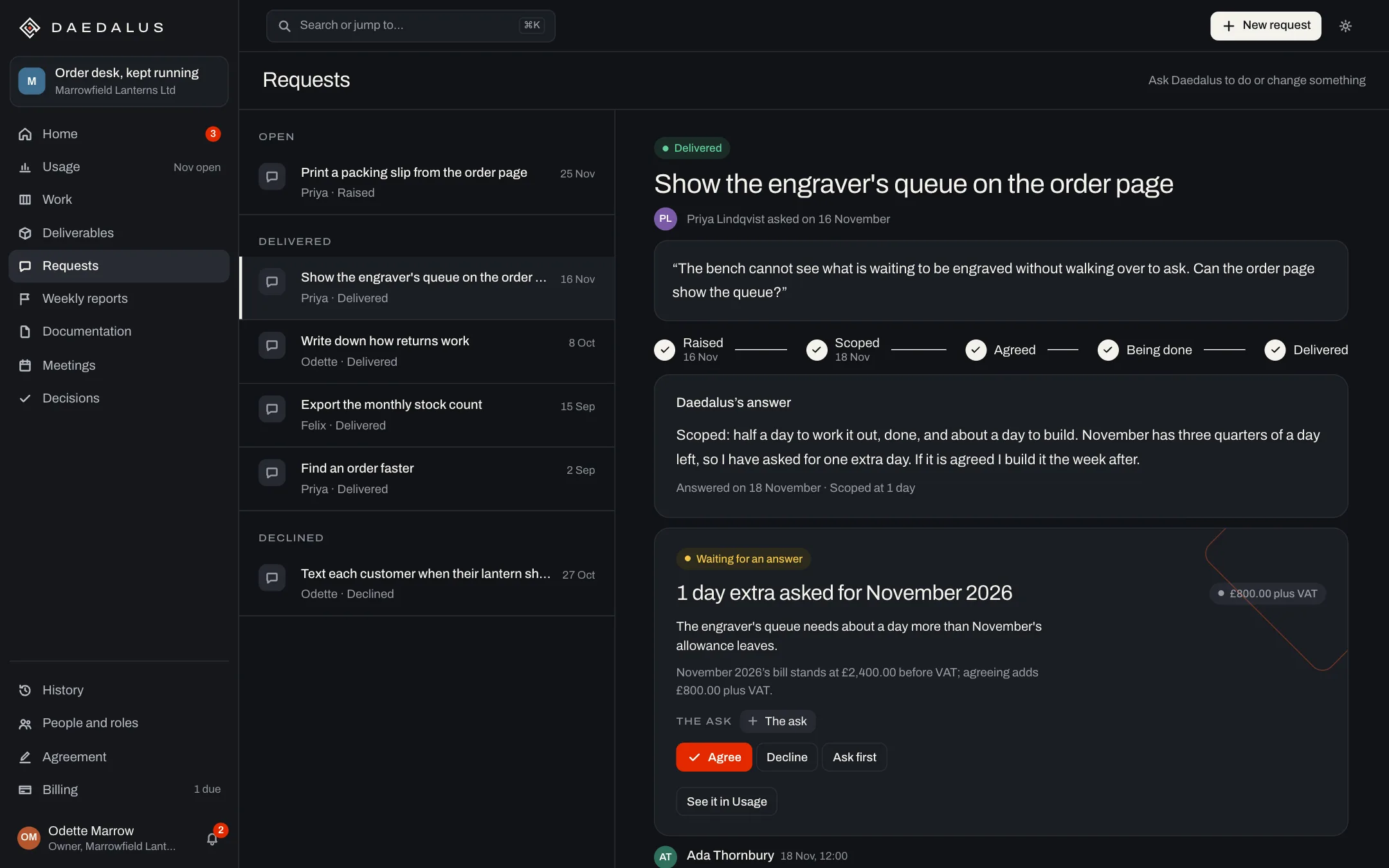
Inside Waypoint
What you’ll see when you sign in.
One sign-in for your whole team, at waypoint.daedalusbuild.com. Each screen shows only your company’s engagements.
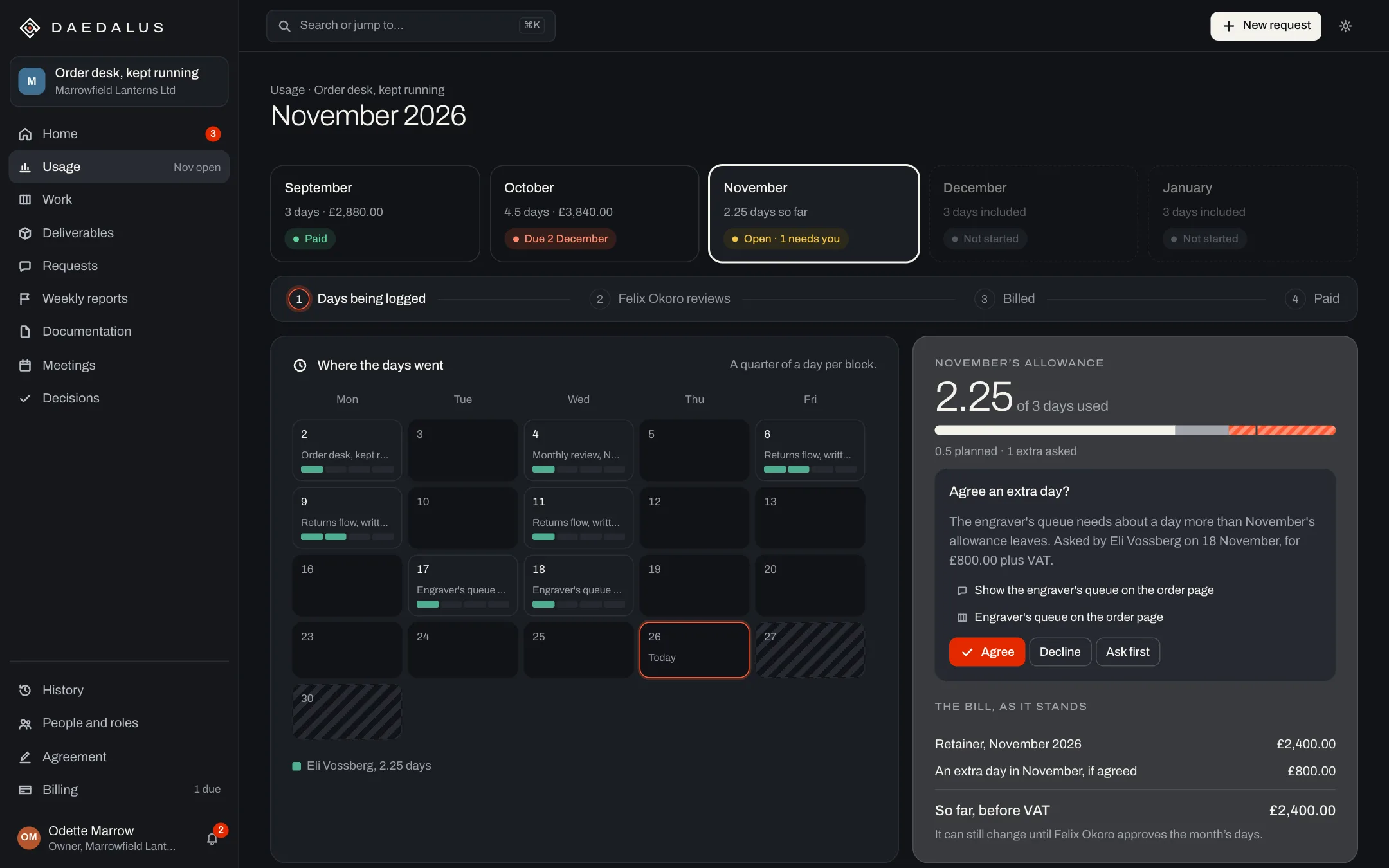
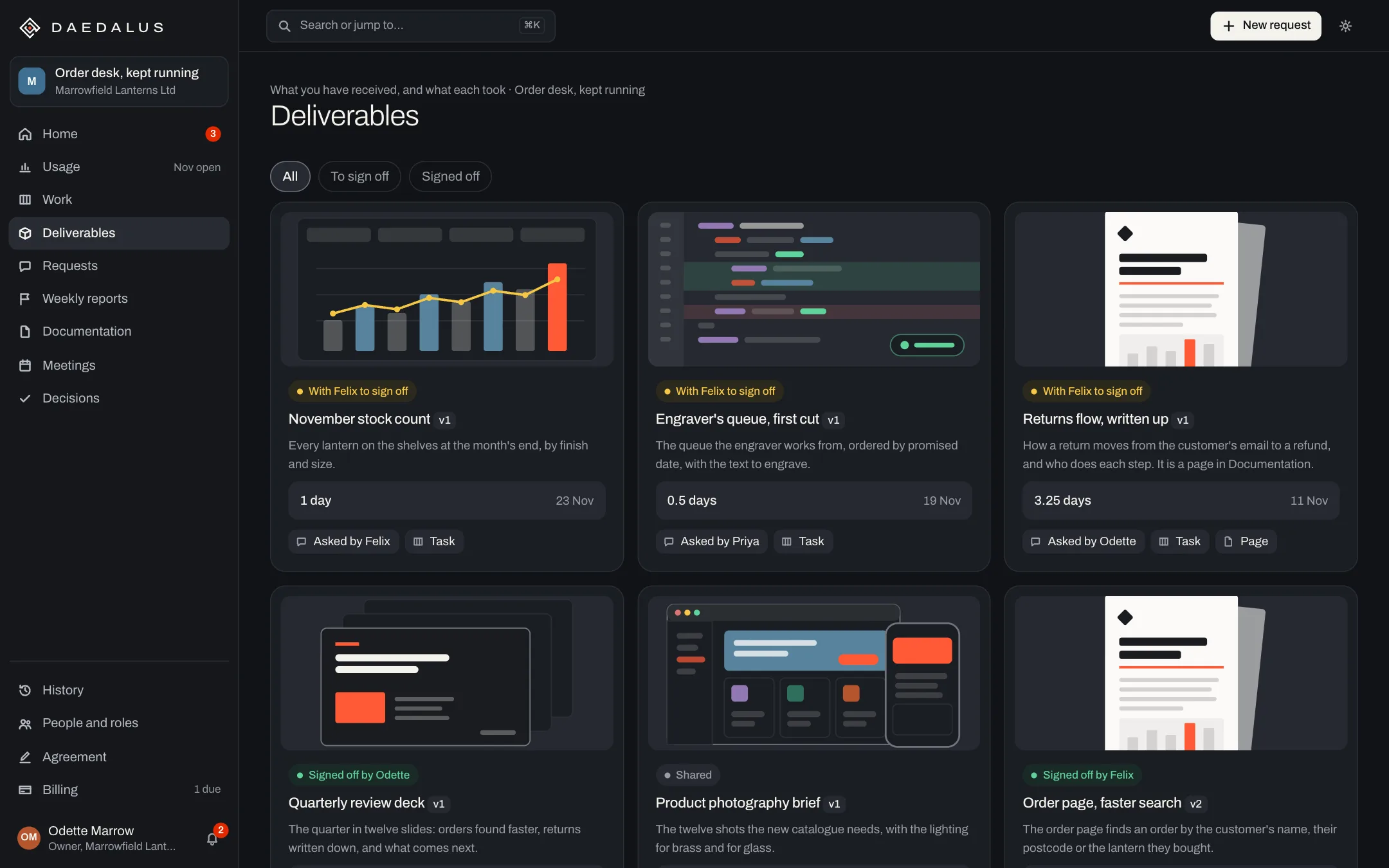
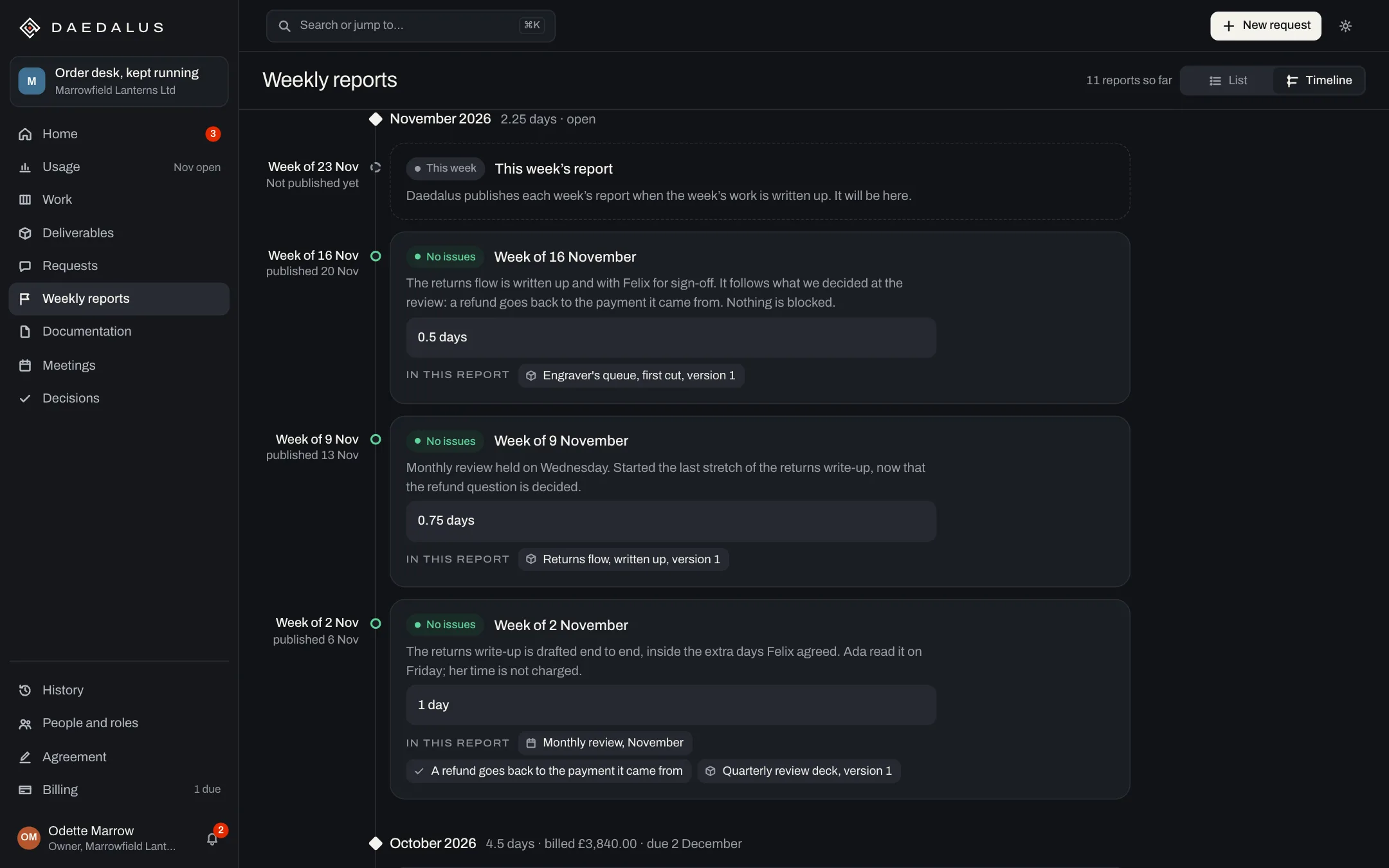
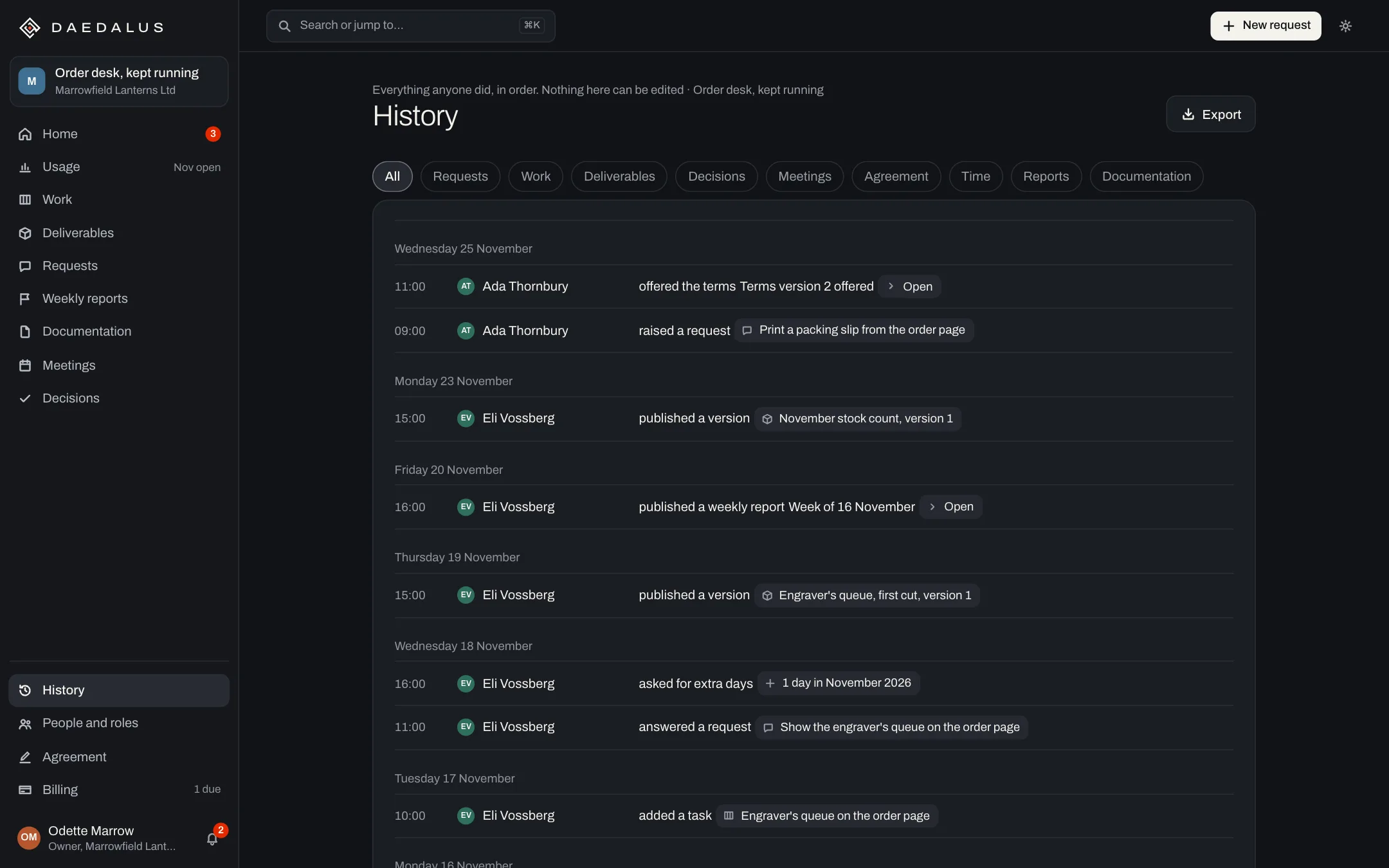
Service by service
The same record, shaped to each service.
The steps don’t change. Only what we agree and how we bill does.
Diagnosis
- The questions and the access we need are agreed on the call, then set out in Waypoint for you to accept.
- We confirm there when access is complete, which starts the clock.
- Your report arrives in Waypoint, followed by the walkthrough and the balance invoice.
Technical Co-Founder
- Your level and start date are set out in Waypoint for you to accept.
- Sessions, decisions and open questions are kept there as we go.
- A change of level is a new version, with the date it starts.
Forward Deployed Engineer
- Your named engineers, planned days, day rates and any outcome-based pricing are set out in Waypoint for you to accept.
- Days are logged daily and approved monthly.
- Half the month is invoiced at the start, and the rest once the month is approved.
Your team in Waypoint
You choose who sees what.
Invite as many colleagues as you need, each with one of three roles. Everyone signs in with a passkey, so there’s no password to lose.
- Owner. Accepts the terms and manages payment. Sees everything for your company, invites colleagues and sets their roles.
- Approver. Approves the time and the deliverables. Approves or queries each month’s timesheet, and accepts deliverables when they’re done.
- Member. Follows the work. Reads the meetings, reports, deliverables and decisions, and comments on them.
What it isn’t
- Something you buy. Waypoint is Daedalus IP. You and the people you invite use it for your engagement, but your fees pay for our people and the result, not for the app. Our terms say so.
- Sentinel. Sentinel is how our engineers work with AI, and it stays on their own computers. Waypoint is where you see the work. None of Sentinel’s records are kept in Waypoint.
- Another tool to learn. Most people only need to approve a month or read a report. If you’d rather we sent something by email as well, just ask.
Where your information goes
- To your company only. Each company sees its own records and nothing else. Our internal notes, costs and drafts never appear in your view.
- Nothing shared by accident. A record reaches you only once we choose to share it, and only with the people you’ve invited.
- One cookie, to keep you signed in. It’s set only on waypoint.daedalusbuild.com. This website still sets none. Our privacy notice has the details.
- Yours to take. When the engagement ends, ask and we’ll give you a copy of your accepted terms, approved timesheets, invoices and paid-for deliverables.